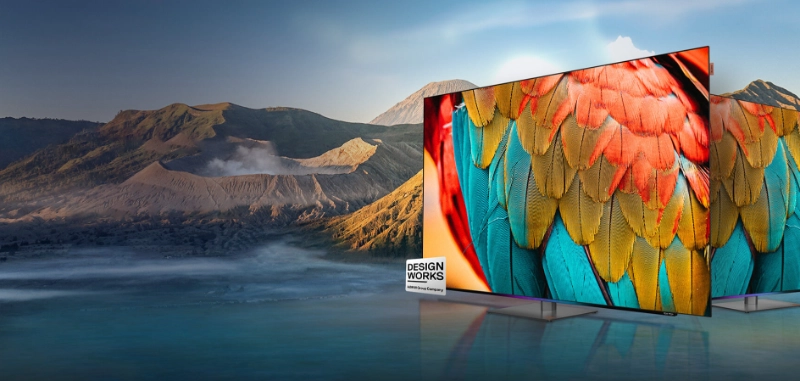
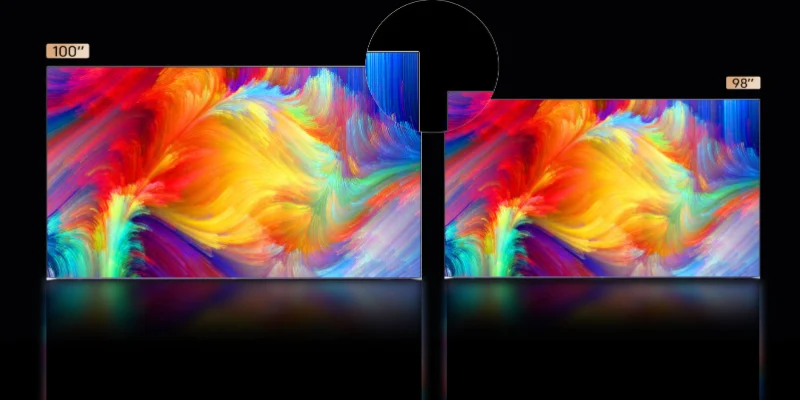
Picking the right QLED TV can feel tricky with so many options out there. You want a screen that fits your room, looks great from every angle, and connects smoothly to your devices. Many people buy the wrong size or forget to check for enough ports, which can lead to frustration later. Some skip learning about display technology or ignore how lighting affects their viewing. If you know what matters most, you can dodge these mistakes and find a TV that matches your needs.
Key Takeaways
- Understand QLED technology. It offers brighter colors and better performance in bright rooms compared to regular LED TVs.
- Set a budget before shopping. Knowing your price range helps you focus on models that meet your needs without overspending.
- Choose the right screen size for your room. Match the TV size to your space to enhance your viewing experience.
- Check for essential ports. Ensure your QLED TV has enough HDMI and USB ports to connect all your devices.
- Read reviews before buying. User feedback can help you find a QLED TV that delivers the quality and features you want.
QLED TV Technology
What Is QLED?
You might wonder how a QLED TV is different from other TVs. QLED means quantum light-emitting diode. This TV has a layer of quantum dots inside the screen. These tiny dots react to light. They help make colors brighter and more accurate. When you watch a QLED TV, the colors look bright and real. They look better than on a regular LED TV.
Tip: If you like watching movies or sports, you will notice better color and brightness with quantum dot technology. Your favorite scenes will stand out, even if the room is sunny.
Here is a quick way to see how QLED TVs compare to regular LED TVs:
| Feature | QLED TVs | Traditional LED TVs |
|---|
| Color Vibrancy | Colors are brighter because of quantum dots | Fewer colors |
| Brightness | QLED TVs are brighter | Not as bright |
| Performance in Light | Works better in bright rooms | Not as good in bright rooms |
Benefits of QLED TVs
There are many good things about qled tvs. First, quantum dot technology lets you see more colors and details. Second, qled tvs show deep blacks and high contrast. Dark scenes look richer and bright spots stand out. Third, qled tvs have wide viewing angles. You can sit almost anywhere and still see a clear picture.
If you want a TV that lasts, looks great, and works in any light, qled tvs are a smart pick.
Tips for Choosing the Right QLED TV
Choosing the best qled tv for your home can feel overwhelming. You see so many models, prices, and features. You want to make sure you get the most value for your money. These tips for choosing the right qled tv will help you focus on what matters most.
Set Your Budget
Before you start shopping, think about how much you want to spend. Qled tvs come in many price ranges. You can find budget-friendly qled options that still offer great picture quality. If you want the latest features, like advanced smart platforms or top-tier sound, you might need to spend more. Ask yourself what matters most. Do you want a huge screen, or do you care more about smart features? Entry-level qled tvs work well for smaller rooms or casual viewing. High-end models suit movie lovers or gamers who want the best experience.
Tip: Make a list of must-have features before you set your budget. This way, you avoid paying for extras you do not need.
Match Screen Size to Room
The size of your qled tv should fit your room. If you pick a screen that is too big, you might feel overwhelmed. If you choose one that is too small, you may miss out on details. Home theater experts suggest matching screen size to room dimensions for the best experience. Here is a quick guide:
| Room Dimensions | Recommended Screen Size |
|---|
| 24 ft x 15 ft | 120" or larger |
| 15 ft x 20 ft | 120" or larger |
| 10 ft x 12 ft | 120" or larger |
| 8 ft x 10 ft | 120" or larger |
If your room is smaller, you can go for a screen size between 55" and 75". For bigger rooms, a larger qled tv makes movies and sports feel more immersive. Think about where you will sit and how much space you have. Who should buy a qled tv with a huge screen? If you love hosting movie nights or want a true theater feel, a bigger screen is perfect.
Consider Viewing Distance
How far you sit from your qled tv changes how you see the picture. If you sit too close, you might notice pixels or feel eye strain. If you sit too far, you lose sharpness and detail. A good rule is to sit at a distance that is about 1.5 times the diagonal size of your screen. For example, if you have a 65" qled tv, try sitting about 8 feet away. This distance helps you enjoy all the features, like bright colors and sharp images.
- Sit closer for gaming or detailed work.
- Sit farther for casual viewing or big family gatherings.
- Adjust your furniture to get the best angle and comfort.
Who should buy a qled tv with advanced viewing features? If you want to watch from different spots in the room or have a large family, look for qled tvs with wide viewing angles. These models keep colors and brightness strong, even if you sit off to the side.
Note: Always check the specs for viewing angles and brightness. These features make a big difference in everyday use.
When you follow these tips for choosing the right qled tv, you make sure your new screen fits your space, your budget, and your lifestyle. Qled tvs offer many features, so take your time and pick the one that matches your needs.
Image Quality Factors
Resolution and Sharpness
If you want a great picture, look for a screen that shows every detail. QLED TVs with 4K UHD have four times more pixels than regular 1080p screens. This means you see sharper lines and clearer faces. Tiny details stand out in every scene. High resolution makes sports and movies look amazing. Here is how UHD compares to other choices:
| Feature | 4K Ultra HD (UHD) | QLED |
|---|
| Pixel Count | 3840x2160 pixels (four times 1080p) | Uses LCD technology with quantum dots |
| Image Clarity | Superior sharpness and detail | Focuses on color vibrancy and brightness |
| Ideal Use | Business presentations, detailed visuals | Movies, gaming, vibrant displays |
| Technology Focus | Increases pixel density for clarity | Enhances color accuracy and brightness |
UHD gives you a movie-like experience. Every frame looks clear and crisp. You notice the difference right away.
Brightness and Contrast
QLED TVs are very bright. You can watch shows even in a sunny room. The colors stay bold and the picture does not fade. Here is how QLED and OLED compare for brightness and contrast:
| TV Type | Brightness (Nits) | Contrast Ratio |
|---|
| QLED | 250 - 4,000 | Lower (backlit) |
| OLED | 500 - 2,400 | Infinite (self-illuminating) |
QLED TVs can reach up to 4,000 nits. You see highlights and shadows clearly. The contrast is strong, but OLED has deeper blacks. QLED TVs still give great color and brightness in most rooms.
Local Dimming Features
Local dimming helps QLED TVs show better contrast. This feature dims dark parts of the screen and keeps bright areas lit. You get deeper blacks and brighter whites. Lab tests show local dimming uses smart algorithms to adjust the backlight. This keeps the picture looking good and saves power by almost 40%. Here is a quick look:
| Aspect | Description |
|---|
| Methodology | Adaptive local backlight dimming algorithm based on human visual sensitivities |
| Objective | Minimize perceived luminance and contrast losses |
| Evaluation Metrics | Average luminance, contrast, and spatial frequency |
| Power Consumption Reduction | 39.69% on average, up to 45.35% under varying conditions |
| Image Quality Maintenance | Average SSIM of 0.995, with compensation for blocking artifacts |
If you want strong contrast and ultra high definition, pick QLED TVs with advanced local dimming.
Viewing Angles
You want the picture to look good from any seat. QLED TVs have wide viewing angles. Colors and brightness stay the same. You can watch with friends and family. Everyone gets a clear picture. This makes QLED TVs great for big rooms or groups. You see bright colors from almost anywhere.
Tip: For the best viewing, check the specs for viewing angles and brightness. These features matter every day.
QLED TVs mix UHD, high resolution, strong brightness, and smart features to give you the best picture quality.
Smart Features and Connectivity
Smart TV Platforms
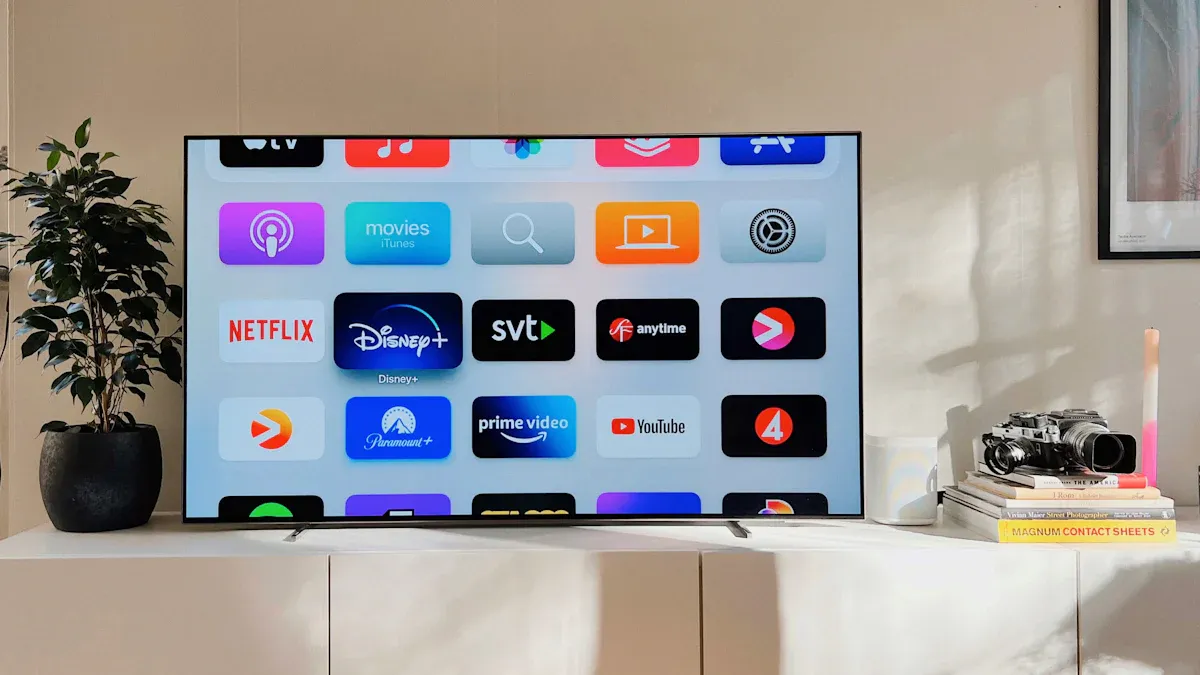
You want your qled tvs to do more than just show movies. Smart TV platforms make your screen smarter. You get easy access to streaming services, games, and apps. Most qled tvs use platforms like Tizen, webOS, or Android TV. Each platform has a different look and feel. Some let you use voice commands. Others give you a simple menu to find your favorite shows. You can connect your phone and share photos or videos right on your uhd screen.
Tip: Try out the remote and menu in the store. You want a platform that feels easy to use every day.
Essential Ports
You need the right ports to connect your devices. Qled tvs come with HDMI, USB, and sometimes Ethernet ports. HDMI ports let you plug in game consoles, soundbars, or Blu-ray players. USB ports help you play music or view photos from a flash drive. Ethernet ports give you a stable internet connection for streaming uhd content. Check how many ports you get. Some qled tvs offer more than others.
| Port Type | Use Case | How Many to Look For |
|---|
| HDMI | Game consoles, Blu-ray | 3 or more |
| USB | Photos, music | 2 or more |
| Ethernet | Wired internet | 1 |
If you plan to use many devices, make sure your qled tvs have enough ports.
Streaming and Apps
You want to watch your favorite shows in uhd quality. Qled tvs support popular streaming apps like Netflix, Disney+, and YouTube. You can download new apps from the TV’s app store. Some qled tvs let you stream live sports or play games right on the big screen. You get fast access to movies and shows in uhd. The smart features make it easy to find what you want. You can even use your phone as a remote.
- Stream movies in uhd for sharp images.
- Play games with friends using built-in apps.
- Watch live TV without extra boxes.
Note: Always check if your favorite app works on the qled tvs you like. Some platforms have more choices than others.
Smart features and good connectivity turn your qled tvs into a home entertainment hub. You get more ways to enjoy uhd content and connect with friends.
Gaming on QLED TVs
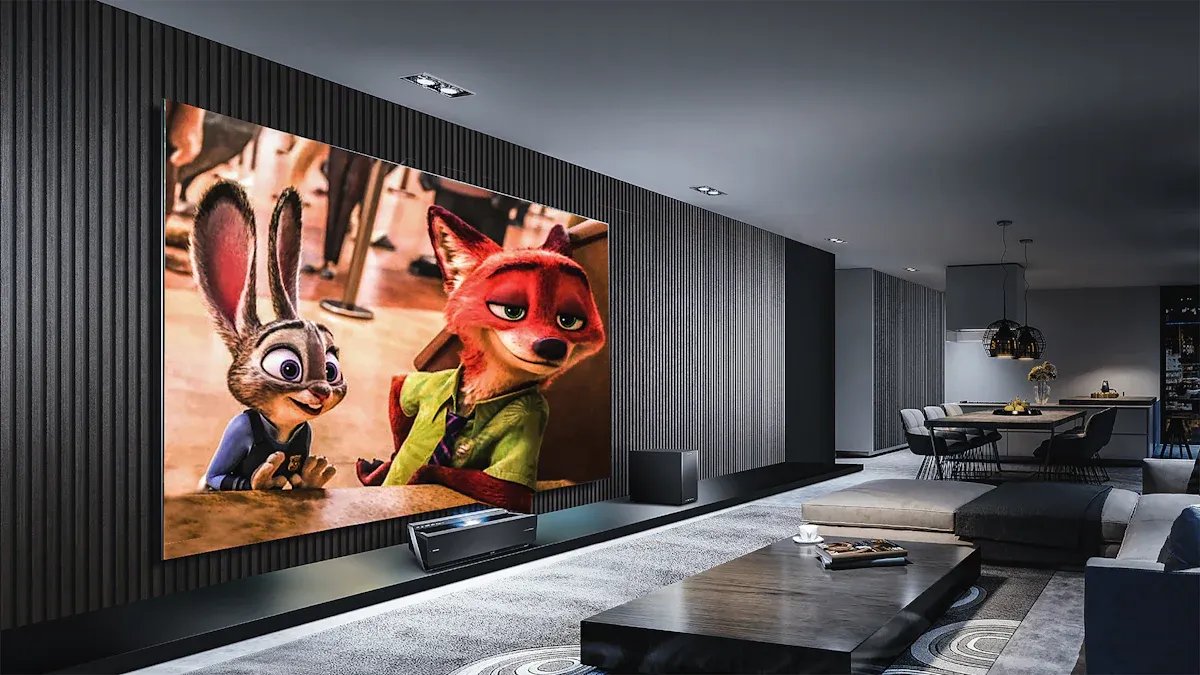
If you love gaming, you want your uhd experience to feel smooth and fast. Qled tvs have special features that make games look and play better. Let’s look at what matters most for gamers.
Refresh Rate
A high refresh rate makes a big difference when you play fast games. Qled tvs with a 144Hz refresh rate give you ultra-smooth action. You see less stuttering and flickering, so racing and shooting games feel more real. You notice every move and detail in uhd, which helps you react faster. Many new qled tvs support 120Hz or even 144Hz, so you get the best performance for next-gen consoles.
- 144Hz refresh rate is ideal for smooth gaming.
- Fast refresh rates reduce motion blur and make uhd games look sharp.
Input Lag
Input lag is the delay between pressing a button and seeing the action on your screen. Qled tvs do a good job here, but they have a bit more input lag than OLEDs. You can lower input lag by turning on Game Mode. This setting helps your uhd games respond faster. The TV’s processing power and settings also affect input lag, so check the specs before you buy.
- Game Mode helps reduce input lag on qled tvs.
- Lower input lag means your uhd games feel more responsive.
Gaming Features
Qled tvs come packed with features made for gamers. You get special ports and settings that help you get the most out of your uhd games. Here are some top features you’ll find on leading 2024 models:
| Feature | Description |
|---|
| HDMI 2.1 | Lets you use advanced gaming features and high bandwidth. |
| 120Hz Refresh Rate | Keeps gameplay smooth and reduces motion blur. |
| Variable Refresh Rate (VRR) | Stops screen tearing for a seamless uhd gaming experience. |
Some qled tvs, like the Hisense U7N, support 4K/144Hz and VRR, which is perfect for next-gen consoles. The Q7 model gives you two HDMI 2.1 ports that support 4K at 120Hz. Automatic Game/PC Mode can even adjust your picture settings for the best uhd gaming.
Tip: Always look for qled tvs with these gaming features if you want the best uhd experience.
With the right qled tvs, your uhd games will look stunning and play smoothly. You get fast action, bright colors, and all the features you need for serious gaming.
Comparing QLED TV Models
Specs Comparison
When you start looking at qled tvs, you want to know how do qleds compare to other screens. You should check the specs that matter most for your viewing style. Brightness is a big deal. If you want a screen that pops in a sunny room, look for models with over 1,000 nits. A wide color gamut means you get more vibrant and saturated colors, which makes uhd movies and sports look amazing. HDR support is another must-have. It helps your qled tvs show deeper contrast and more accurate colors. If you love gaming, check for features like low input lag and fast refresh rates. These make your uhd games smoother and more fun.
Here’s a quick table to help you compare:
| Feature | Why It Matters |
|---|
| Brightness | Better for sunny rooms |
| Color Gamut | Rich, vibrant uhd colors |
| HDR Support | Enhanced contrast and detail |
| Gaming Enhancements | Smoother uhd gameplay |
You should also look at how qled tvs stack up against regular uhd TVs. Qled screens use quantum dots for brighter colors and higher accuracy. Most qled tvs offer 4K uhd resolution, but some go up to 8K. Regular uhd TVs focus on pixel count for sharpness, while qled tvs shine with color and brightness.
Reading Reviews
Before you buy, check what other people say about the qled tvs you like. User reviews can tell you if the picture quality, smart features, and reliability match your needs. You might see comments about how uhd movies look on different brands or how easy it is to use the smart platform. Here’s what buyers say about top brands:
| Brand | Picture Quality | Smart Features | Reliability |
|---|
| Samsung | Excellent | Advanced | High |
| LG | High | Good | Top |
| Sony | High | Exceptional | Second Best |
- Samsung S95F gets top marks for picture quality and anti-glare.
- LG stands out for reliability and AI Picture Pro, which boosts uhd visuals.
- Sony A95L OLED wins praise for smart features and steady performance.
Tip: Always read a mix of expert and user reviews. You’ll spot patterns in what people love or dislike about each model.
When you compare specs and reviews, you find the qled tvs that fit your life. Focus on the features that matter most for your room, your favorite uhd content, and how you watch TV every day.
Avoiding Common Mistakes
Overlooking Key Features
You want your new TV to look amazing, but it’s easy to miss some important details. Many people forget to think about the lighting in their room. Qled tvs work best in bright spaces because they have high brightness and special anti-glare coatings. If your living room gets a lot of sunlight, these features help you see clear, colorful images all day. When you skip checking for these details, you might end up with a screen that looks washed out or hard to see. Always look at your room’s light before you pick a model.
Another feature people often overlook is the number of ports. If you have a game console, a soundbar, and a streaming box, you need enough HDMI ports. You also want to check for smart features that make streaming uhd content easy. Take a few minutes to list what you need. This helps you avoid surprises after you set up your qled tvs.
Tip: Walk around your room at different times of day. Notice how much sunlight comes in. This helps you choose a qled tv that fits your space.
Falling for Marketing Hype
You see lots of ads that promise the best picture or the newest technology. Some brands use the qled name even when their TVs do not have true quantum dot technology. For example, a few companies have faced lawsuits for selling regular LED TVs as qled tvs. These models might not give you the bright colors or sharp images you expect. Sometimes, brands claim their screens have advanced features, but the performance does not match the promise.
- Some companies charge more for TVs that do not deliver real qled benefits.
- A few models use only a small amount of quantum dot material, so you do not get the full effect.
- Legal cases show that not every qled tv offers the same quality.
When you shop, look past the big words and check the specs. Read reviews from real users. This way, you get a qled tv that truly gives you the uhd experience you want.
You want a QLED TV that fits your life and your wallet. When you focus on what matters most, you get a screen that matches your room and looks great every day.
- Picking a TV based on your needs gives you the right size and brightness.
- Sticking to your budget helps you find the best value.
- Expert tips guide you to smarter choices and wallet-wise picks.
Ready to shop? Trust your priorities and enjoy your new QLED TV with confidence!
FAQ
What makes QLED TVs different from OLED TVs?
QLED TVs use quantum dots for bright colors and high brightness. OLED TVs use pixels that light up on their own. You get deeper blacks with OLED, but QLED works better in bright rooms.
How do I clean my QLED TV screen?
Use a soft, dry microfiber cloth. Gently wipe the screen. Avoid using water, sprays, or paper towels. You keep your screen clear and avoid scratches.
Can I mount my QLED TV on the wall?
Yes, you can mount most QLED TVs. Check the TV’s size and weight. Use a strong wall mount that fits your model. Follow the instructions for safe setup.
Do QLED TVs support voice control?
Many QLED TVs support voice control. You can use built-in assistants like Alexa or Google Assistant. Just press the mic button on your remote and speak your command.
What is the best screen size for my living room?
Pick a screen size that matches your room. For small rooms, 55" works well. Bigger rooms need 65" or more. Sit about 1.5 times the screen’s diagonal away for the best view.
Source: