If you’ve ever watched a match in the afternoon and thought, “Why does the grass look kind of washed out?” or you’ve streamed an HDR movie and noticed bright scenes that feel too white, you’ve already met the core problem this article is about:
Brightness is easy. Keeping color vivid at high brightness is hard.
That’s exactly why Quantum Dot + Mini LED has become a popular combo in modern 4K TVs—especially for sports, bright living rooms, and HDR content. Mini LED gives you the brightness and contrast control (local dimming). Quantum Dot helps your TV keep colors rich and accurate even when the screen is pushing a lot of light.
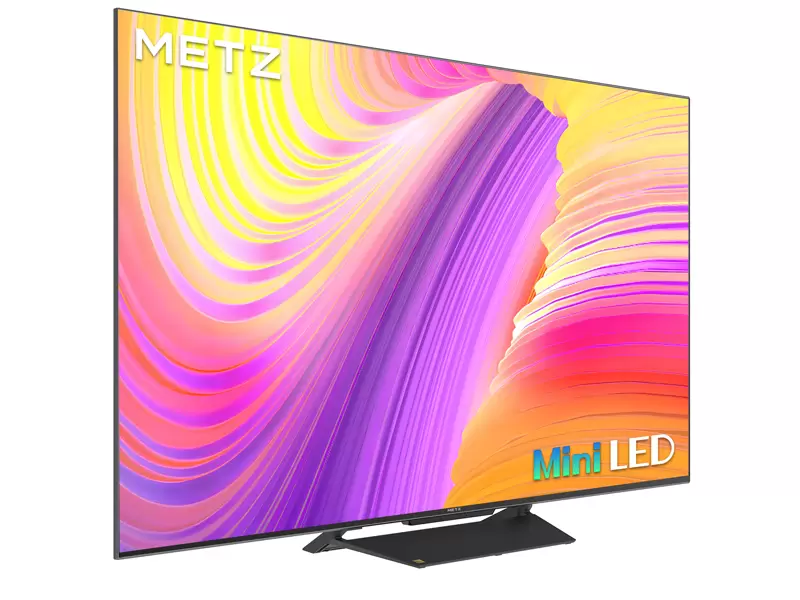
I’ll use METZ Mini LED models like the MNE9000 as a reference point, because this kind of TV typically pairs Mini LED backlights with Quantum Dot color to target both “punchy HDR” and “vivid daytime viewing.”
1) The real problem: why bright TVs can look “pale”
On many standard LED/LCD TVs, when brightness goes up, colors can start to look less saturated. The easiest way to imagine this:
You turn up brightness to beat daylight.
Whites become stronger (good).
But some colors (especially reds, greens, and blues) start looking lighter and less “solid.”
The image can feel like it has a white layer over it.
That’s because the TV’s color system is fighting against a common limitation: the backlight spectrum and the way the LCD panel filters it. When the light source isn’t “clean” enough in its color components, the TV can struggle to produce strong, pure color at high luminance.
This is where Quantum Dot comes in.
2) What Quantum Dot actually does (without the marketing fog)
Quantum Dots are tiny semiconductor particles that convert light into very specific colors. In TVs, they’re usually used as a layer/film that helps the display create purer red and green light, which improves:
Think of it like better paint pigments. If your “red” is slightly contaminated with extra wavelengths, it looks less red and more pink-ish when brightened. Quantum Dot aims to make the “red” and “green” cleaner so the TV can push brightness without the colors turning into pastel.
Key idea:
A lot of TVs can look colorful in a dim showroom. The advantage of Quantum Dot is that it helps color stay strong when the TV is actually doing the hard work—high brightness scenes and HDR highlights.
3) Why Mini LED makes Quantum Dot even more useful
Mini LED backlights can get very bright. That’s great for:
But if you only increase brightness without improving color purity, your image can become bright-but-flat.
So the pairing works like this:
This is why the combo is often marketed as “bright + vivid” instead of choosing one.
4) “Color gamut” vs “color volume” (the one that matters for real use)
These two terms are often mixed together, but they’re different:
Color gamut = how many colors the TV can produce
A wide gamut means the TV can show more shades, especially in HDR.
Color volume = how well the TV keeps those colors at different brightness levels
This is what you care about when:
A TV can have a wide color gamut but still lose saturation when it gets bright. Quantum Dot systems are mainly celebrated because they tend to improve color volume, not just “more colors on paper.”
5) Where you’ll notice Quantum Dot + Mini LED the most
A) Sports in daylight
This is the “real world” test.
Grass stays greener (not neon, not pale)
Jerseys keep their identity (a red team actually looks red)
Stadium lighting looks intense without making the image look bleached
If your living room is bright and you watch a lot of sports, this combo is one of the most noticeable upgrades.
B) HDR movies with bright highlights
HDR isn’t only about brightness—it’s about contrast and realism. Quantum Dot helps bright highlights keep their color information.
Look for moments like:
Without strong color volume, these scenes can look like “bright white plus some color.” With better color volume, they look like bright color.
C) Animated content and nature footage
Animation and nature content are unforgiving:
skies
ocean tones
sunsets
rainforest greens
Quantum Dot TVs tend to keep these scenes vibrant without needing heavy “color boost” settings that can make faces look weird.
6) The downside: vivid doesn’t mean accurate (and how to avoid “oversaturated”)
One common mistake: people turn on the most aggressive picture mode and assume “more color = better.”
But if the TV is pushing color too hard, you’ll see:
unnatural skin tones (sunburned faces)
grass that looks electric
overly intense reds in logos and jerseys
What to do instead:
For daytime sports: use a Sports or Standard mode, but lower “Color” a notch if it looks too intense.
For movies: use Cinema/Filmmaker-style modes (often closer to the creator’s intent).
If your TV offers “dynamic color” / “vivid color enhancement,” try turning it off first, then adjust slowly.
A good Quantum Dot + Mini LED TV should look vibrant without needing extreme enhancement.
7) A simple “vivid but natural” setup workflow
If you want color that looks premium (not cartoonish), do this:
Start in Standard (day) / Cinema (night)
Turn Local Dimming to a middle setting first
Disable aggressive “Dynamic Contrast” or “Vivid Color” boosts
Adjust in this order:
Brightness / Backlight (for your room)
Contrast (avoid clipping whites)
Color / Saturation (small changes only)
Color temperature (Warm is usually more natural for movies)
Then test with:
If colors hold up across all three, you’re in a good place.
8) What to look for in specs (and what to ignore)
Useful indicators (not perfect, but helpful):
Quantum Dot / QLED-type color system (means the TV is aiming for stronger color volume)
Wide color coverage claims (like NTSC/DCI-P3 style language)
Strong brightness capabilities paired with local dimming
Less useful by itself:
“More vivid” marketing phrases
Extreme demo modes in stores
Zone numbers without real-world tests (blooming control matters too)
The takeaway
Mini LED helps your TV stay bright and high-contrast.
Quantum Dot helps it stay colorful and rich while doing that.
If your priorities include sports, HDR streaming, and daytime viewing, Quantum Dot + Mini LED is one of the most practical pairings—not because it’s trendy, but because it addresses a real problem: brightness without washed-out color.
Source: