.jpg)
QD Mini LED is an LCD television design that combines a Mini LED backlight with quantum dots for colour. The backlight supplies illumination, the quantum-dot arrangement contributes to colour, and the LCD panel forms the image. These parts work together, but the technology name alone does not describe a particular TV's picture quality.
1. How quantum dots and Mini LED work together
Think of the display as three jobs rather than three competing labels. LEDs provide the light, quantum dots help shape its colour, and liquid crystals control the light that reaches you to form the picture. Mini LED refers to the backlight, not to smaller image pixels. The panel resolution is a different specification.
Quantum dots are tiny semiconductor particles used in a colour-producing arrangement. In a simplified explanation, light excites them and they emit light at wavelengths associated with their size. In a TV, that behaviour helps create the colours used by the display system. The complete colour result also depends on the panel, processing, settings and source material—not just the QD label.
A Mini LED backlight uses small LEDs to illuminate the LCD arrangement. Local dimming, where implemented, adjusts areas of the backlight to suit different parts of a scene. That is area-based lighting control rather than individual image pixels emitting their own light. Smaller LEDs and a zone count are useful details, but neither describes the whole control system.
The complete signal chain matters, too. A programme arrives through an app, tuner or external device, then processing prepares it for the panel. Changing the source or picture mode can change what you see without changing the underlying display technology. That is why it is useful to note the content and settings during a comparison rather than attributing every difference to the backlight.
The diagram is deliberately simplified: it explains the roles, not a manufacturing sequence or a particular METZ panel. Real designs can arrange optical layers differently. Use it to remember why the display label, backlight control, resolution and signal support belong on separate lines when you compare TVs.
2. QD Mini LED vs OLED: mechanism first, performance second
QD Mini LED and OLED make an image in different ways. QD Mini LED uses a backlit LCD system; OLED uses picture elements that emit light. This distinction explains why local-dimming zones and pixel-level light control are different ideas. It is a useful starting point, not a complete verdict on which TV you will prefer.
The table separates the mechanism from the viewing questions. An OLED pixel can stop emitting light; a dimming area in a backlit LCD still covers more than one image pixel. That difference matters when bright and dark details sit together. How noticeable it becomes during a film still depends on the model, settings, content and room.
A useful showroom question is: can we watch the same short sequence on both TVs and note the picture modes? Give each option a fair chance with a few different scenes. You are not trying to turn a shop visit into a laboratory test; you are trying to understand whether the differences you notice matter in your ordinary viewing.
Compare actual TVs using the same material and similar settings. Look at subtitles on dark scenes, bright details, ordinary programmes and a seat to the side. For daytime viewing, reflections and sustained brightness need their own comparison. For sport or gaming, ask about motion, supported modes and response separately. Neither technology name finishes those checks.
| Question | QD Mini LED | OLED | What to compare |
|---|---|---|---|
| Light source — mechanism | Separate Mini LED backlight illuminates an LCD system. | Picture elements emit their own light. | Different light-producing designs, not a performance ranking. |
| Light control — mechanism | Where local dimming is used, backlight areas are controlled together. | Light emission can be controlled at the picture-element level. | Do not equate a backlight zone with an image pixel. |
| Dark scenes — conditional performance | Check halos around subtitles and bright objects, plus shadow detail. | Pixel-level emission avoids the separate LCD backlight-zone mechanism; inspect shadow presentation too. | Exact model, scene, picture mode and room lighting. |
| Bright rooms and colour — conditional performance | Assess reflection handling, brightness and colour presentation on the actual TV. | Assess those same aspects on the actual TV. | No universal winner or measured result follows from the label. |
| Sport and gaming — conditional performance | Confirm motion, required input modes and response. | Confirm motion, required input modes and response. | Technology is not proof of refresh, VRR or gaming suitability. |
3. Advantages, disadvantages and common misunderstandings
The appeal is the combination of colour-producing technology and an adjustable LCD backlight. Quantum dots can help extend the range of colours a display can reproduce, although actual colour range and accuracy depend on the complete design. Where local dimming is implemented, it can reduce illumination in darker areas while retaining light in brighter areas, helping distinguish bright and dark details within the same scene compared with uniform backlighting. These are potential benefits of the design, not measured results for the METZ models in this guide. Compare the actual TV to see how effectively it balances colour, contrast and detail.
The trade-off is that a backlight area is not an individual image pixel. A bright subtitle against darkness can reveal a halo, often called blooming. You may also notice a change in dark detail when settings change. Watch several familiar scenes: a striking test frame can reveal an effect without telling you how much it will bother you during ordinary viewing.
More zones does not automatically mean a better picture. The control algorithm, panel, processing and settings matter as well. Likewise, QD does not promise perfect colour, and Mini LED does not mean OLED. Ask what the technology enables, then compare how the TV actually uses it.
Resolution is another common mix-up. 3840 x 2160 specifies 3,840 pixels horizontally and 2,160 vertically; HDR concerns brightness and colour information in the signal and its presentation. A 4K entry does not establish HDR support, and a format label is not a measurement of highlight detail. Keep compatibility and picture presentation as separate questions.
4. Is QD Mini LED worth it?
It is worth considering when a particular TV offers the picture, connections and practical fit you want at a price that makes sense for you. Start with a reason to compare it—not an assumption that the technology is always better. If you enjoy its presentation with your usual content, it can earn a place on your shortlist alongside OLED and other LCD options.
For films, compare dark detail and bright objects together. For daytime programmes, look at reflections and picture visibility in lighting like yours. For sport, include your usual source and motion settings. These basic questions belong in a technology comparison; our companion guide goes deeper into windows, seats and household habits without treating a display label as a room recommendation.
If a claimed advantage is your reason to pay more, ask for an exact-model demonstration or a clearly described test that addresses it. If your essential app, device mode or installation requirement is unresolved, settle that first. When two TVs both meet those needs, your preferred picture and current local terms can make the decision more meaningful than a longer list of labels.
5. METZ specifications as practical examples
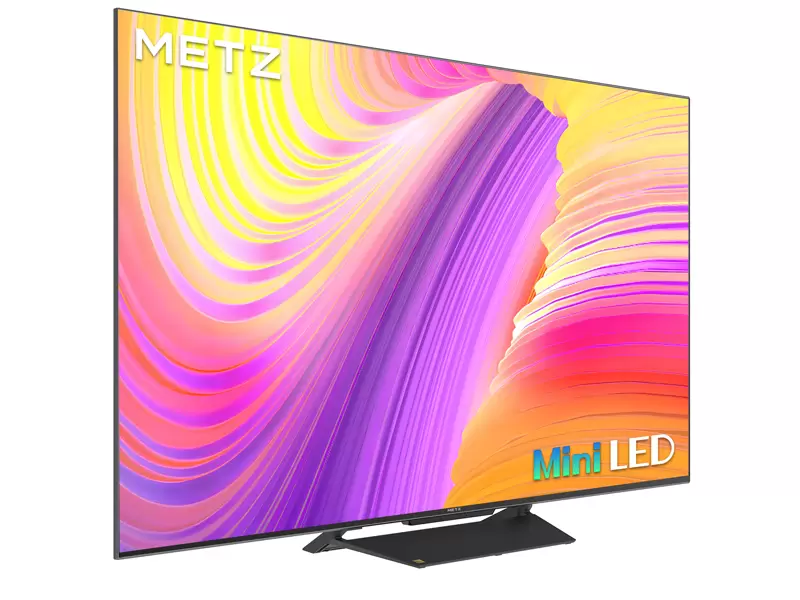
The METZ 55MNH7000Z, 60MNH7000Z and 65MNH7000Z bring the terminology back to real datasheets. Each lists QD-MiniLED and 3840 x 2160: one entry identifies the display technology, the other the image grid. Use those entries to organise the comparison, then look separately for the picture demonstrations and signal information that matter to you.[1]
These models also list Google TV, integrated WiFi-WLAN and LAN. That helps you start a household service checklist and choose a wireless or wired installation route. Confirm the apps you need on the exact model in Italy and include a network cable path if you plan to use LAN. The table gathers the documented attributes in one place, not a measured-performance ranking.[1][2]
The shared display and connection entries do not make the three TVs identical. For a stand installation, their overall widths are 122.6, 134.5 and 144.5 cm, while the base footprints are 85.7 × 26.4, 116.9 × 29.9 and 131.5 × 29.9 cm respectively. Use the installation table to compare real space requirements, including the separate height and depth values. A footprint is not a guaranteed minimum furniture size: allow for the whole TV, safe support, cable access and the installation instructions. The VESA pattern identifies mounting-hole spacing, not approval of a wall or bracket.[4]
| Attribute | 55MNH7000Z | 60MNH7000Z | 65MNH7000Z |
|---|---|---|---|
| Screen diagonal (cm / in) | 139 cm / 55 in | 152 cm / 60 in | 164 cm / 65 in |
| With base — W × D × H (cm) | 122.6 × 26.4 × 78.3 | 134.5 × 29.9 × 85.8 | 144.5 × 29.9 × 91.3 |
| Without base — W × D × H (cm) | 122.6 × 8.1 × 71.8 | 134.5 × 8.8 × 78.8 | 144.5 × 9.2 × 83.8 |
| Base footprint — W × D (cm) | 85.7 × 26.4 | 116.9 × 29.9 | 131.5 × 29.9 |
| Weight with / without base (kg) | 9.8 / 9.6 | 12.1 / 11.9 | 14.1 / 13.9 |
| VESA W × H (mm) | 200 × 200 | 200 × 200 | 400 × 200 |
Explore the MNH7000Z series page (shared series destination)
| Attribute | 55MNH7000Z | 60MNH7000Z | 65MNH7000Z |
|---|---|---|---|
| Display technology | QD-MiniLED | QD-MiniLED | QD-MiniLED |
| Resolution | 3840 x 2160 | 3840 x 2160 | 3840 x 2160 |
| Operating system | Google TV | Google TV | Google TV |
| Network connectivity | Integrated WiFi-WLAN: yes; LAN: yes | Integrated WiFi-WLAN: yes; LAN: yes | Integrated WiFi-WLAN: yes; LAN: yes |
| HDMI connectivity | 3 HDMI inputs; CEC: 3; ARC: 1 on HDMI1 | 3 HDMI inputs; CEC: 3; ARC: 1 on HDMI1 | 3 HDMI inputs; CEC: 3; ARC: 1 on HDMI1 |
| USB count | 2 | 2 | 2 |
6. A short checklist before you choose
Map the devices first. These models each list three HDMI inputs, CEC for three inputs, and one ARC connection on HDMI1. Reserve that connection in your plan if you want to use compatible ARC audio equipment, then count your other sources. Check their required video modes in port-specific documentation; the count does not establish HDMI version, bandwidth or eARC.[1]
The documented two USB connections help you count accessories or media devices, but confirm supported formats and compatibility separately. Keep Google TV service checks and your WiFi-WLAN or LAN route alongside the device map. Available connections help organise the setup; they are not a guarantee of app availability or streaming stability.[1]
Match the complete model code to current documentation. Check overall dimensions, stand footprint and mounting instructions rather than estimating from a code. Finally, compare a familiar picture sample and confirm current Italian price, availability, delivery and written warranty terms. You should finish with a few clear next steps, not a longer list of unanswered labels.[3]
Questions readers ask
Is QD Mini LED the same as OLED?
No. QD Mini LED uses an LCD panel with a separate backlight; OLED picture elements emit their own light. Compare the mechanisms first, then the exact models for the picture and features you want.
What are the main benefits and drawbacks?
Quantum dots can help extend the range of reproducible colours, and local dimming, where implemented, can improve separation of bright and dark details within a scene compared with uniform backlighting. Area-based backlighting can also reveal blooming around bright details against dark backgrounds. The visible result depends on the complete design, settings and content. These are generic potential benefits and trade-offs, not verified performance results for the METZ models in this guide.
Does a higher zone count guarantee better contrast?
No. Zone count is one design detail. Control behaviour, panel, settings and scene content also matter. Look at bright and dark details together, including subtitles and shadow detail.
Is QD Mini LED worth paying more for?
Only when the exact TV gives you benefits you value and meets your essential setup needs. Compare its picture, supported modes, physical fit and current local terms with alternatives; do not pay more for an unverified assumption.
Do the METZ specifications prove bright-room or gaming performance?
They document the listed technology, resolution, platform and connections. Brightness, reflection handling, motion, supported gaming modes and input response need separate exact-model information. Use the specifications to plan questions and connections, not to substitute for that comparison.