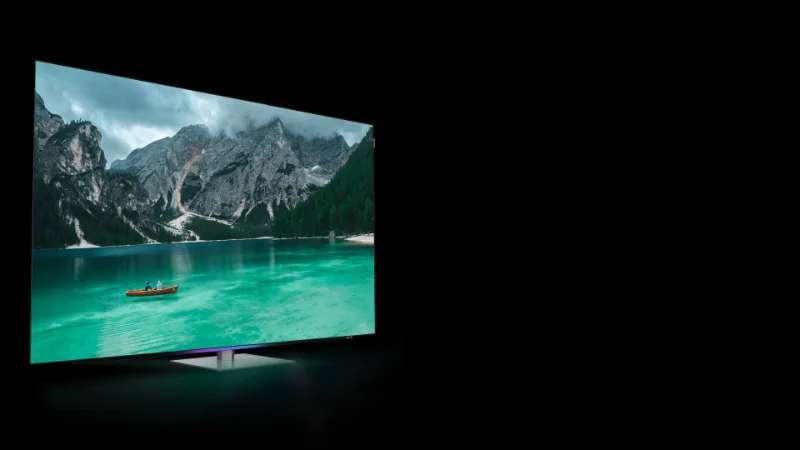
“Dolby Atmos” on a TV can mean two very different experiences:
Atmos decoding + virtual surround from the TV’s own speakers, or
Atmos output to a soundbar/system that can actually create height and wider surround effects.
Both can be “Atmos,” but what you hear depends on the speaker hardware, your room, and (most importantly) how you connect the audio. This guide explains the real differences—without the hype—and gives you a simple setup checklist so you don’t accidentally block Atmos with the wrong cable or port.
1) What Dolby Atmos is (in everyday terms)
Dolby Atmos is an object-based audio format. Instead of mixing everything into fixed channels only (like 5.1), Atmos can place sounds in 3D space—so effects can feel like they move around you and above you.
In a home setup, “height” usually comes from:
Upward-firing drivers that bounce sound off the ceiling, or
Real overhead speakers (rare for TV buyers), or
Virtualization (psychoacoustic tricks) that simulate height with fewer speakers.
2) Built-in TV Atmos: what it’s good at (and where it stops)
Many modern TVs advertise Dolby Atmos support. Typically, that means the TV can:
Decode Atmos content, and/or
Output Atmos to another device, and/or
Use processing to simulate a wider soundstage with the TV’s speakers
What you’ll actually notice with built-in Atmos
Pros
Clearer “spatial” feel than basic stereo TV speakers (in some models)
Better dialogue separation if the TV has decent tuning
Zero extra hardware—easy, clean setup
Reality check
TV speakers are small, low-placement, and limited by physics
“Height effects” are usually subtle or mostly virtual
Bass and impact are typically the first things you’ll miss during action scenes or stadium moments
Built-in Atmos can be “nice,” but it rarely delivers the wow factor people associate with Atmos in theaters.
3) Soundbar Atmos: why it usually wins for immersion
A Dolby Atmos soundbar can include:
Front drivers (left/center/right)
Side drivers for width
Up-firing drivers for height reflection
Sometimes rear speakers and a subwoofer (bigger jump in immersion)
That extra speaker layout is what creates the sensation of overhead effects and a larger sound field.
What you’ll actually notice with a soundbar
Dialogue feels anchored to the screen (center clarity)
Crowd ambience and stadium reverb sound wider
Height effects show up more often (rain, helicopters, echoes, crowd roar)
Better bass impact (especially if there’s a separate sub)
Even compact soundbars can create convincing Atmos via virtualization, while bigger bars (and especially full kits with rears) can produce a more “wraparound” result.
4) The connection that makes or breaks Atmos: ARC vs eARC
Here’s the part that causes most “Why am I not getting Atmos?” headaches.
HDMI ARC
ARC (Audio Return Channel) sends audio from TV to soundbar through a single HDMI cable on the TV’s ARC-labeled port.
HDMI eARC
eARC (enhanced ARC) has more bandwidth and better format support.
Practical takeaway (simple and honest)
If you mainly watch Atmos from built-in streaming apps on the TV (Netflix/Disney+/Prime, etc.), ARC is often enough because streaming Atmos commonly uses Dolby Digital Plus.
If you use 4K Blu-ray, certain media boxes, or want maximum compatibility, eARC is the safer choice.
Also: Make sure you plug the soundbar into the TV’s HDMI port labeled ARC/eARC, not just any HDMI port.
5) Built-in Atmos vs soundbar: which should you choose?
Choose built-in TV sound (Atmos or not) if:
You watch mostly news, casual YouTube, light streaming
You don’t want extra boxes/cables
You’re in a small room and sit close
You’re okay with “better than basic,” not “cinema”
Choose a Dolby Atmos soundbar if:
You watch movies, action series, sports events, concerts
You care about immersive sound and clearer dialogue
You want the “height” effect to actually show up more often
You want more bass and wider soundstage
A useful rule: If you bought a bright Mini LED TV for a premium picture, a soundbar is often the fastest way to make the whole experience feel premium.
6) A simple setup checklist (works for most homes)
Step 1: Use the correct HDMI port
Step 2: Use the right cable
Step 3: Turn on the right TV audio setting
In TV audio menus, look for:
Step 4: Confirm you’re playing Atmos content
Not every movie/show is Atmos. Test with known Atmos titles inside your streaming app.
Step 5: Confirm what the soundbar reports
Most Atmos soundbars show “Dolby Atmos” on the display/app when it’s active.
7) Common “Atmos doesn’t work” fixes
Wrong HDMI port: soundbar is connected to a normal HDMI port, not ARC/eARC
TV output set to PCM: PCM can downmix and block Atmos; switch to Auto/Bitstream/Pass-through (terms vary by brand)
Using optical: optical usually won’t support Atmos and limits formats.
App/device mismatch: some external streaming boxes behave differently than built-in apps; test both ways if you can
ARC limitations: if you’re trying to pass lossless Atmos, you may need eARC.
8) “Atmos without a soundbar”: a realistic expectation
If you’re deciding whether to add a soundbar later, here’s the honest expectation:
Built-in Atmos can improve clarity and widen the image a bit.
A real Atmos soundbar (especially with up-firing drivers, and even more with rears + sub) is what makes Atmos feel like a real feature, not a badge.
Source: