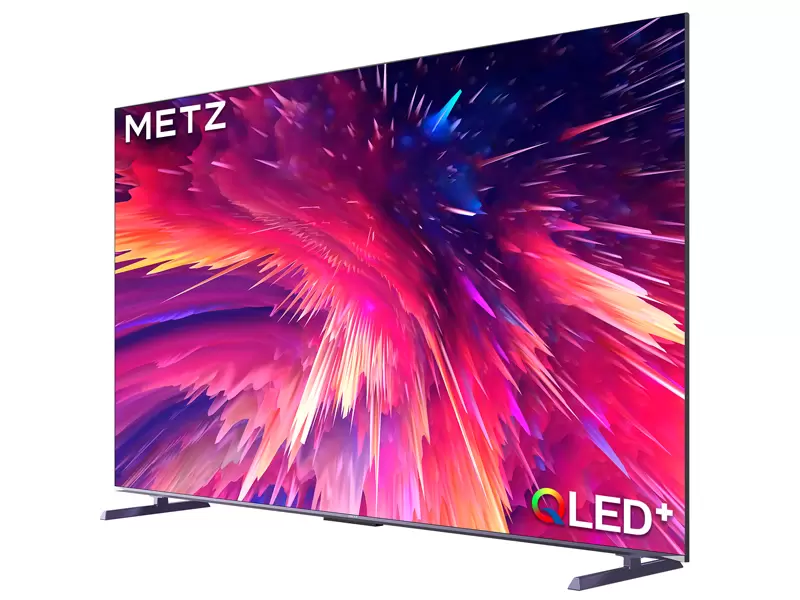
Choosing the right TV size sounds simple—until you’re stuck between “bigger is better” and “what if it’s too big for my room?” If you’re shopping for a 4K QLED TV, the good news is that 4K resolution makes larger screens more comfortable at closer distances than older TVs. The tricky part is that room layout, lighting, and daily habits matter just as much as the diagonal number on the box.
4K QLED TV in 65/75/86 inch options
This guide gives you a practical way to choose between 55, 65, 75, and 86 inches, including viewing distance, room scenarios, and a few installation tips that prevent common regrets.
1) The goal isn’t “largest possible”—it’s “best fit for your room”
A TV can be “too small” and feel underwhelming, but it can also be “too big” in a way that causes:
eye fatigue (if you sit too close)
awkward head movement during sports
overly visible compression artifacts in low-quality streams
a screen that dominates the room visually
The best size is the one that feels immersive without forcing you to work to watch.
2) A simple viewing-distance rule that works for most homes
Instead of memorizing complicated math, use this practical rule of thumb for 4K TVs:
Comfortable everyday viewing distance
55 inch: about 1.7–2.6 m (5.5–8.5 ft)
65 inch: about 2.0–3.0 m (6.5–10 ft)
75 inch: about 2.3–3.5 m (7.5–11.5 ft)
86 inch: about 2.7–4.0 m (9–13 ft)
These ranges are intentionally broad because your “sweet spot” depends on content type:
movies tolerate closer seating (more immersive)
sports and news often feel better slightly farther back
gaming depends on your sensitivity and play style
If your sofa distance sits right in the overlap between two sizes, pick the larger one if you want immersion and you primarily watch high-quality sources. Pick the smaller one if you watch a lot of compressed streaming or want a calmer, “background-friendly” TV.
3) How to pick size based on what you watch
If you’re a movie/series person
Movies benefit from immersion. If you watch in the evening and want a cinematic feel, lean bigger—especially with 4K content.
At ~2.5 m seating, 75 inch can feel like a real upgrade.
At ~3.0 m seating, 86 inch starts to make sense if the wall and room layout support it.
If you mostly watch sports
Sports viewers care about motion and tracking. Too large can force your eyes to “scan” more than you want, especially if you sit close.
If you sit under ~2.3 m, 65 inch can be the safer sports choice.
If you sit ~2.6–3.2 m, 75 inch is often the sweet spot.
86 inch is fantastic for sports if you have enough distance and a clean line of sight.
If you game often
Gaming depends on how you play.
Competitive gaming (fast shooters): many players prefer slightly smaller or farther seating to keep the whole image in view without head movement.
Single-player / open-world: bigger is often more immersive and enjoyable.
If you game at a desk-like distance (closer than a sofa), 55–65 inches may feel more natural. If you game from a sofa, 65–75 inches is a common comfort range.
4) Room layout matters more than people think
Before you decide, check these “real room” factors:
A) Wall width and furniture
A huge screen on a narrow wall can feel visually cramped. As a practical check:
If the TV will look wider than your TV console by a lot, it may feel unbalanced.
If the TV edges are near door frames, shelves, or wall corners, the room can feel crowded.
B) Seating arrangement
If your sofa is centered and fixed, size decisions are easier. If you have an L-shaped sofa or wide seating angles, a very large screen can look different from the sides—especially in bright rooms.
C) Viewing height
If the TV is too high (common when wall-mounting above a fireplace), even the “right size” feels uncomfortable.
A simple guideline:
5) 55 vs 65: when the jump is worth it
The 55→65 move is one of the most popular upgrades because it feels substantial without dominating most rooms.
Choose 55 inch if:
seating distance is under ~2.0 m
the TV is in a bedroom or compact space
you want a cleaner, minimalist look
Choose 65 inch if:
seating is around 2.0–2.7 m
you watch mixed content (sports + streaming + some gaming)
you want a noticeable upgrade without going “big wall” mode
Common regret: buying 55 inches for a living room where people sit 2.7–3.2 m away—it often ends up feeling too small fast.
6) 65 vs 75: the “cinema at home” decision
This is where many buyers hesitate, because 75 inches begins to feel like a centerpiece.
Choose 75 inch if:
seating is roughly 2.5–3.5 m
you watch movies/sports often
you want 4K to feel meaningfully more immersive
Choose 65 inch if:
your room is bright and you watch a lot of lower-bitrate streams
you want the TV to blend into the room more
you sit closer than ~2.3 m and don’t want your eyes to work
Tip: 75 inches is often the best “wow upgrade” for living rooms without requiring an oversized wall.
7) When 86 inch makes sense (and when it doesn’t)
An 86-inch 4K QLED TV can be incredible—but it’s not for every space.
Choose 86 inch if:
seating is around 3.0 m or more
you want a true “big-screen” experience for sports and movies
the wall space supports it visually
you have a plan for mounting and cable routing
Avoid 86 inch if:
seating is under ~2.7 m and you dislike head movement
you mainly watch low-quality streams (artifacts become more visible)
the TV must fit into a tight furniture layout
Big-screen reality check: A larger TV doesn’t just show more detail—it also shows more of the content’s weaknesses. That’s not a reason to avoid big screens, but it is a reason to improve your streaming quality and settings.
8) Installation tips that prevent “I wish I chose differently”
A) Wall mounting: plan cables before drilling
For 75–86 inch TVs, cable planning matters.
Decide where power and HDMI cables will run
Leave slack for future device changes
Consider a clean path to a soundbar (if you plan to add one)
B) Consider reflections
A larger screen is a larger “mirror” if your room has windows facing it. Before committing to 86 inches in a bright room, stand where the TV will go and look for reflection hotspots.
C) Create two picture profiles: day and night
Especially for large screens, having:
9) Quick decision tool (fast answers)
If you want a quick pick without overthinking:
Bedroom / small room (under ~2.2 m seating): 55–65
Typical living room (~2.3–3.0 m seating): 65–75
Large living room (~3.0–4.0 m seating): 75–86
Sports + family living room: lean 75 if your wall and distance allow
Casual streaming, TV is “background”: 65 can feel calmer
Source: